
The system has the ability to automatically determine classification information when this information has not been entered against a product line in the consignment.
A checkbox for 'Auto-classify Declaration Lines' exist to Business details and edit pages, defaulting to enable auto-classification for all businesses, including existing ones.
Users will be able to enable or disable auto-classification for import and export declarations.
If the auto-classification is enabled, happens at declaration compiling stage, when declaration lines are created from the product lines.
There are three potential sources for auto classification which are: a previous declaration, a product for a TSW Client or a generic code.
Auto Classification Setting
A checkbox for 'Auto-classify Declaration Lines' is available at the to the Business details and edit pages under Settings.
This will be the default setting applicable to all declarations.
Users have the ability to uncheck the box and save the change.
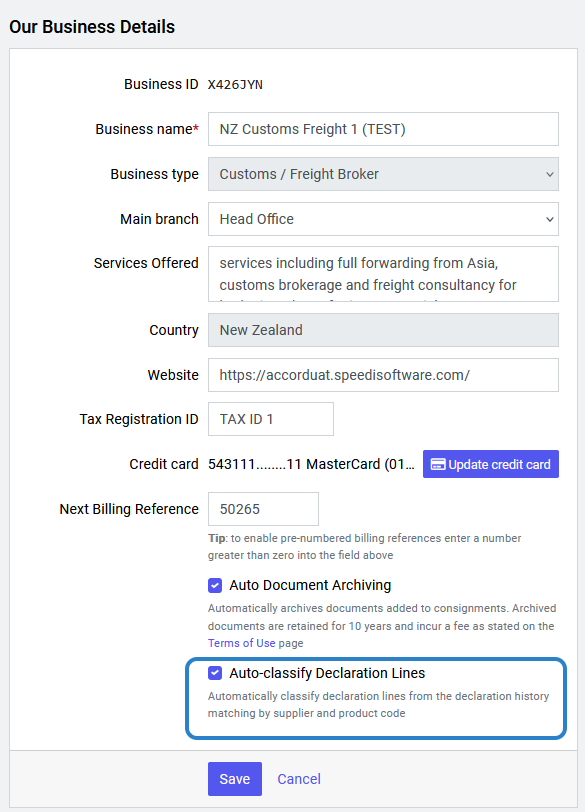
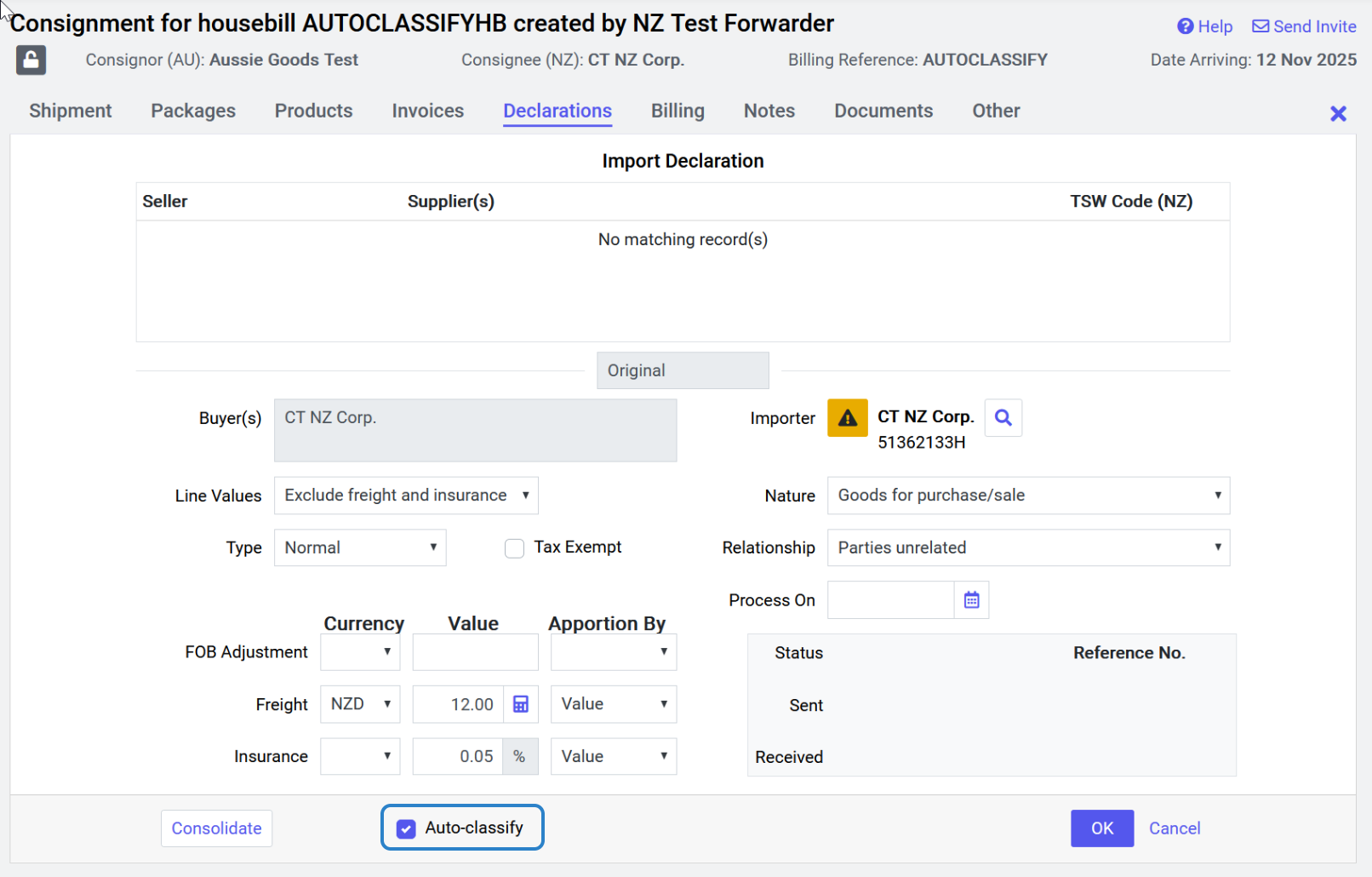
“Auto-classify Declaration Lines” sets the default value of the auto-classify checkbox at the Consignment level.
When submitting a declaration, the initial state of the auto-classification checkbox will match what is set in the business settings.
It can be changed manually before first declaration submission.
Any subsequent declaration amendments, the auto-classification checkbox will be set to what was used in the first declaration submission.
Auto Classification Sources
Previous Declaration
If a product code has been entered, then the system will attempt to match a line from a previous declaration for the same supplier and use the classification details provided there.
In the case where a declaration is amended, the system will first attempt to use classification details from the previous version of the declaration.
The follow data items can be applied when these are not stated in the consignment product line:
- Tariff Code
- Manufacture/Origin country
- Measures (when a unit value can be determined and the quantity is available)
- Weight
- Volume
- Other
- Qualifiers provided that a product for a TSW Client or Generic Code has not been matched.
Product for the TSW Client
If a product for the TSW Client has been setup with a HS code, full tariff code or a manufacture/origin country then the system will apply these details when the product code has been entered into either the Product or Secondary Code fields of the consignment product line.
Generic Code
If a generic code has been setup with a HS code or full tariff code, then the system will apply this when the generic code has been entered into the Secondary code field of the consignment product line.
Viewing the Auto Classification Source
The declaration source(s) for a declaration line can be viewed from the Declaration Review screen by clicking on the i button

As shown below, the popup window can indicate none, one or multiple sources for auto classification.
If a previous declaration was a source, then the reference number for that declaration will be displayed and can optionally be copied into the clipboard.
